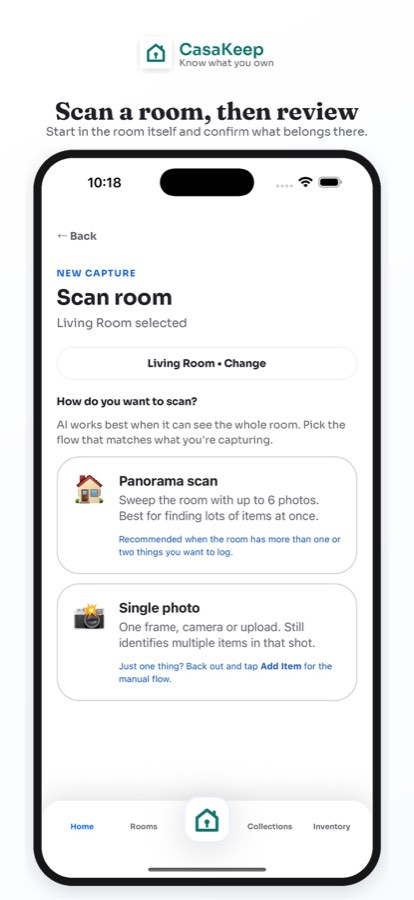
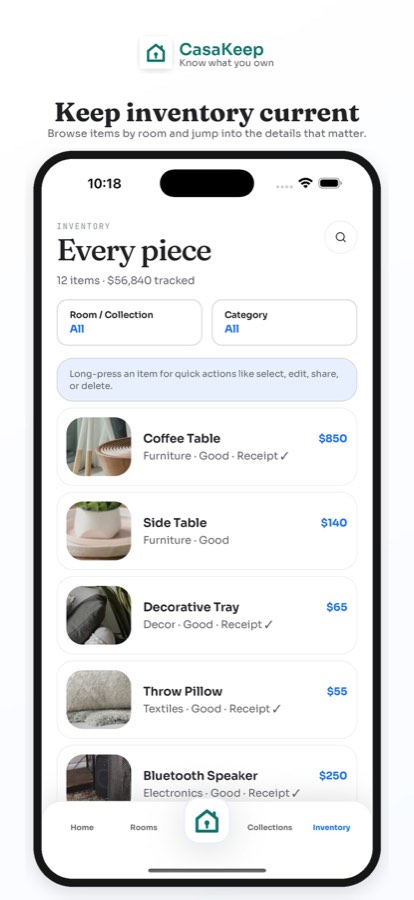
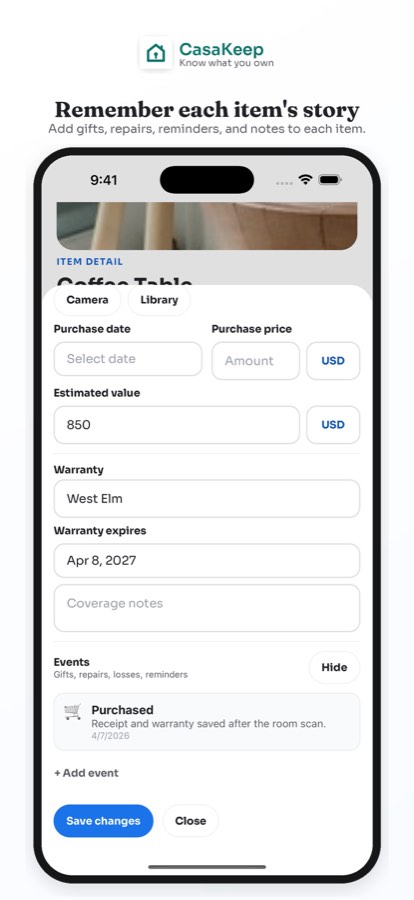
If you are searching for an AI home inventory app, the useful part is simple: scan help can reduce typing and give you a first list to review.
CasaKeep keeps manual entry at the center. You can create item records, add photos, save receipts, record values you know, keep warranties and serial numbers together, add rooms or collections when useful, and use optional scan help when it makes the first pass easier.
The goal is still practical: know what you own, where it is, and what proof or notes are attached. Scan help is one tool in that workflow. The main job is still the inventory record.
What scan help can do
Scan help is useful when the blank page is the hardest part. A room photo or scan flow can suggest obvious belongings, reduce repetitive entry, and give you a starting list to clean up.
That can be especially helpful for rooms with many visible items: living rooms, offices, garages, kitchens, bedrooms, storage spaces, and move staging areas. Instead of writing everything from scratch, you can begin with suggestions and then edit the records into something accurate.
Good scan support should make the inventory easier to start. It should not make the final decisions for you. You know the item, the real owner, the purchase context, the receipt, the condition, and whether the detail matters.
Why review still matters
A home inventory is only useful if you trust it later. Review every suggested item before you rely on it for moving, insurance documentation, storage, family sharing, estate work, or warranty questions.
Check the item name, room, category, and photo. Add a value only if you know it or want to make a rough note. Add receipts, serial numbers, purchase dates, warranty details, and condition notes when they matter.
If you do not know a value, leave it blank and keep moving. You can always add receipts, purchase notes, or replacement details later.
How CasaKeep combines manual entry and scan help
Manual entry is the foundation. You can build a complete CasaKeep inventory without using scan help at all. Add a room, create items, attach photos, fill in the details you know, and update the record as life changes.
When scan help is useful, use it to speed up the first pass. Review the suggestions, keep what is right, delete what is not useful, and add missing details yourself. That gives you the speed benefit without giving up control of the record.
This matters because household inventory is personal. The app should fit how your home works: some items need a room, some need a collection, some need both, and some only need a simple item record.
Scan-help use cases
Use scan help when starting fast matters. Before a move, scan a room while everything is still visible, then add condition notes and destination details. Before putting items into storage, scan the room or staging area, then add a storage note or collection if that helps.
For insurance documentation, use scan help to start a room list, then review each important item and add photos, receipts, values, serial numbers, and warranty notes where available. CasaKeep helps you organize documentation, but it does not promise claim approval or replace instructions from your insurer.
For family handoff or estate work, scan help can create a first pass, but review is even more important. Family context, keepsake notes, ownership, sell/donate decisions, and sensitive details need a person.
What to document after the first pass
After the first pass, focus on details that are hard to recreate later. Add item photos, receipts, serial numbers, model numbers, warranty dates, condition notes, purchase dates, and values where you know them.
Use collections only when a list helps. Examples include Priority items, Fragile, Storage unit, First night box, Sell, Donate, Family keepsakes, Work equipment, and Emergency grab list. Items can be in a room and in a collection at the same time.
When someone else needs the record, use sharing or export workflows based on the situation. Live sharing can help when the list keeps changing. Snapshot sharing can help when you want to send the current state. Export can help when you want CSV data and pictures for your own files or a more formal handoff.
A simple scan-help workflow
Start with one area. Use scan help if it will save time, then review the suggestions immediately while you are still there. Keep the useful items, fix names and categories, and add the items the scan missed.
Next, photograph the important belongings clearly. Add receipts and serial numbers for electronics, appliances, bikes, tools, cameras, and work equipment when easy. Add condition notes for furniture, art, collectibles, and anything fragile or hard to replace.
Finally, update the inventory after new purchases, moves, storage trips, repairs, donations, or family handoffs. A strong home inventory is not a one-time scan. It is the record you keep current.
FAQ
Is CasaKeep an AI home inventory app?
CasaKeep includes optional scan help, but it is not only an AI app. It is a home inventory app for individuals and households, with manual entry, item records, photos, receipts, warranties, optional rooms and collections, sharing, and export workflows.
Can scan help create my whole home inventory by itself?
Scan help can give you a faster start, but you should still review the inventory yourself. The final record should reflect your real belongings, locations when useful, receipts, values, notes, and priorities.
How should I add item values?
Add values you know, rough values you are comfortable with, or leave the field blank. The useful part is having the item record, photos, receipts, and notes in one place.
Can I use CasaKeep without AI?
Yes. Manual entry is a core workflow. Scan help is optional.
Use scan help as a starting point.
Let scan help reduce typing, then review the item records yourself before you rely on them.